Translate Now: Translator App
- 3.8
- Rating
- 10.00M
- Installs
- Free
- Price
 Analysis by App-foxy
I use translation apps most often when I need a quick answer rather than a full language lesson: reading a notice, checking a short message, understanding a menu, or getting the general meaning of a document. Translate Now: Translator App, developed by DigiGen Apps, is built for that kind of practical moment. It brings text, voice, and document translation into one Business app, with support for more than one hundred languages. My overall impression is useful but measured: it can remove a lot of friction from everyday communication, yet I would still treat its output as a starting point when the wording matters legally, professionally, or emotionally.
The app is free to install and is rated for Everyone, which makes it approachable for families, students, travelers, freelancers, and small teams. It has reached over ten million installs, while its average rating sits at 3.8 from around ninety-four thousand ratings and roughly two thousand four hundred written reviews. Those figures suggest a widely used tool with a mixed experience rather than a flawless replacement for a human translator. I think that is the right expectation to bring to it: fast assistance, not unquestionable authority.
What I found useful in everyday translation
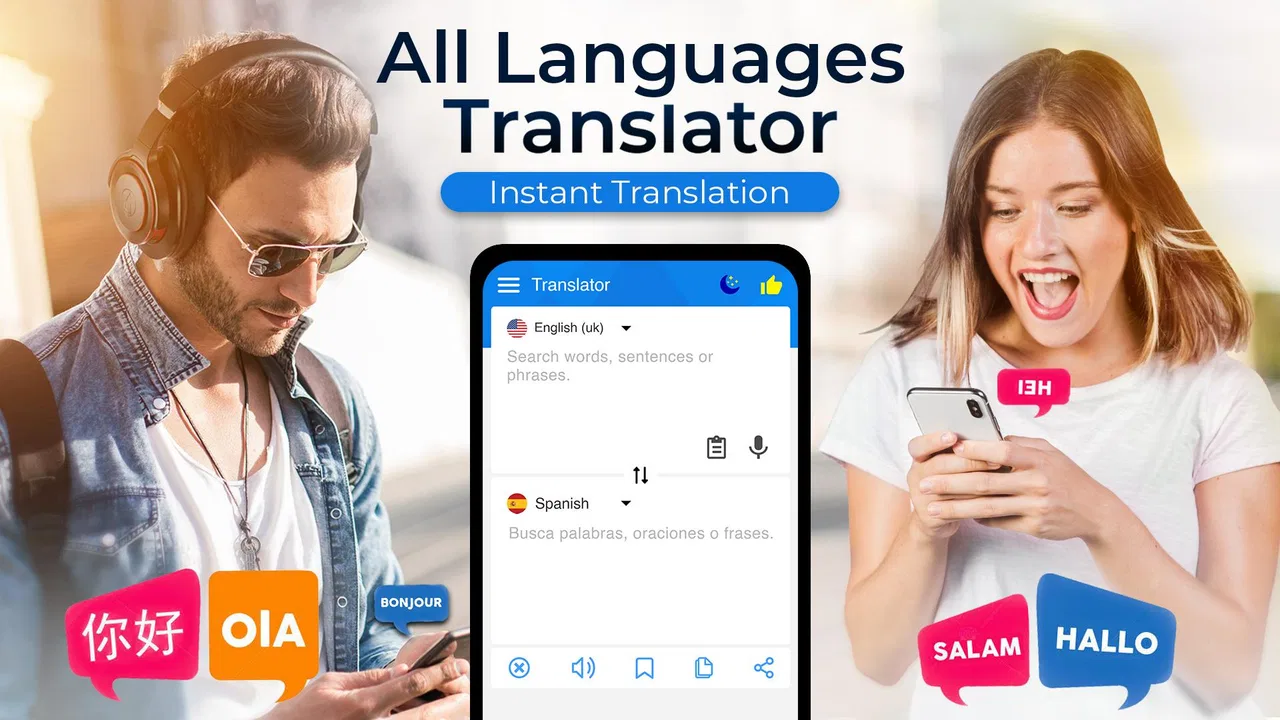
The strongest part of the concept is the choice of input methods. Typing is still the safest option when I have time to check the source text, but voice input is more convenient when I am standing somewhere, speaking with another person, or trying to understand a phrase without manually entering it. Document translation is valuable for longer material, especially when copying the text would be awkward. Having these routes together means I do not need to switch between a keyboard translator, a voice tool, and a separate document workflow for every small task.
You May Also Like

 AccuWeather: Weather Radar
AccuWeather Review: A Quick, Clear Forecast for Everyday Decisions
For everyday plans, the best forecast is the one you can understand quickly. AccuWeather makes rain timing, radar, and local conditions easy to act on, with a few trade-offs.

 Hill Climb Racing
Why Hill Climb Racing Still Turns Crashes Into One More Run
A tiny car, a bumpy hill and one more upgrade: Hill Climb Racing keeps resurfacing because its simple chaos makes every near-miss feel personal.

 AliExpress - Shopping App
AliExpress Makes Global Shopping Feel Personal, but Shoppers Bear the Risk
AliExpress turns a global marketplace into a pocket-sized discovery engine. Its reach is useful, its shopping loop compelling, and its trade-offs easy to miss.

 Lords Mobile: Kingdom Wars
Lords Mobile Is a Kingdom-Building Routine, Not a Quick Match
A case-by-case verdict on the building, battles, device demands, and social commitments that make Lords Mobile rewarding for some players and exhausting for others.

 PDF Scanner app - TapScanner
TapScanner Makes Paperwork Easier to Capture, Check, and Share
TapScanner makes scanning with a phone feel less like a rescue operation and more like a dependable step in getting work done. Its capture tools are useful, though not flawless.

 Block Blast!
Block Blast! Shows How Much a Puzzle Game Can Leave Out
A quiet grid game shows why puzzle players increasingly value instant clarity, repeatable skill and low-pressure play—and where the genre still needs to catch up.
More From Our News Desk
View All News


A realistic example is arriving at a hotel or rental property where the instructions are written in a language I do not read. I can photograph or submit the document, use the result to identify the important steps, and then return to individual phrases through text or voice if something remains unclear. I would not rely on the translated document alone for a safety instruction or a binding agreement, but it can quickly show me where to focus. That distinction is important: the app is most helpful when it reduces uncertainty enough for me to ask a better question or make a sensible next move.
For short messages, I prefer typing because it gives me a chance to notice names, numbers, and unusual wording before sending anything. Voice input is more natural in a conversation, but speech recognition and translation can both be affected by accents, background noise, speed, and mixed-language sentences. My practical tip is to speak in complete, simple phrases rather than a long stream of thoughts. If the result looks strange, I would repeat the idea with different wording instead of assuming the first translation captured the meaning.
Trust begins with what I can see and control
Because translation involves personal conversations and documents, I pay attention to user choices rather than treating convenience as the whole story. In my experience, the safest way to use an app like this is to decide deliberately what needs translating and what should stay private. A restaurant menu and a public sign are low-sensitivity examples. A passport, medical letter, employment agreement, private chat, or financial document deserves much more caution.
I would review the app’s visible permission prompts and privacy choices before giving it access to anything beyond the immediate task. I would also avoid granting broad access automatically when a narrower option is available. If I only need to translate text that I can type or paste, there is little reason to provide access to unrelated content. When using voice or documents, I would check the wording of the prompt and choose the least expansive option that still lets me complete the job.
That approach is not a criticism aimed only at this app; it is a sensible habit for any translation service. The more convenient the input method, the easier it is to submit information without pausing to consider its sensitivity. Translate Now makes several kinds of translation available in one place, so the responsibility to make that pause becomes more important. I like the convenience, but I would not confuse a smooth interface with a guarantee that every piece of content belongs in the service.
Where the different modes change the risk
Text translation gives me the most control over what leaves my device or enters the workflow because I can select a small passage and remove unnecessary details first. Before translating an email, for example, I would delete signatures, phone numbers, account references, and names that are not needed to understand the sentence. This simple editing step improves privacy without making the translation less useful.
Voice is different. I would avoid dictating a full private conversation in a public place, particularly if other people are speaking nearby. A noisy recording can also produce an inaccurate transcript, which then creates a second problem: the translation may be based on words that were never recognized correctly. For important exchanges, I would use voice to get the general meaning and then confirm the key point in writing.
Documents require the most care because they often contain more information than the specific paragraph I want to understand. A practical workflow is to create a cropped copy or a redacted version first, keeping only the relevant section. I would preserve the original separately and compare the translated result against it, especially for dates, measurements, names, and conditions. This is one of the app’s most useful potential workflows, but also the one where careless input can expose far more information than intended.
There is another trade-off in document translation: convenience versus context. A translated page may help me understand the subject quickly, but formatting, tables, stamps, handwritten notes, and references can be difficult for automated systems. If the document affects immigration, healthcare, employment, taxes, or a contract, I would use the app for orientation and then seek a qualified person or an official translation when accuracy has consequences.
Controls that matter during real use
I find user agency in a translator less about decorative settings and more about whether I can stop, edit, review, and choose what to submit. I would look for clear controls around microphone access, document selection, and any account or subscription prompts. If the app asks me to continue into a paid feature, I want the choice to be visible rather than buried in the flow. The app is free, but in-app purchases range from $13.99 to $99.99 per item, so I would read the purchase screen carefully before confirming anything.
That price range is especially relevant for someone who only needs occasional translations. A traveler may get enough value from a quick one-off use, while a person translating documents every week may consider the paid options differently. I would not subscribe simply because a feature appears at the moment of urgency. Instead, I would first test the free experience with harmless sample text, identify exactly what is restricted, and decide whether the cost matches my actual frequency of use.
Account control is another point I would consider before making the app part of a regular work routine. If an account is offered or requested, I would use only the information necessary for that purpose and check how to sign out or manage the account from the app’s visible settings. I would also avoid treating a translation history as a permanent archive. Once I have copied the answer I need, I would remove sensitive source material from any place where the app gives me a clear deletion control, and I would keep my own secure copy only when there is a legitimate reason.
These habits make the app more comfortable to use because they keep me in charge of the workflow. I decide whether the input is text, voice, or a document; I decide how much context to include; and I decide whether the result is enough for the situation. The tool can accelerate my understanding, but it should not silently make the important decisions for me.
How it compares with familiar alternatives
The usual alternative is a built-in phone translator or a large general-purpose translation service. Those options can be better when I need a deeply familiar interface, established language-specific tools, or a workflow already connected to my device. Translate Now’s appeal is its all-in-one focus: I can move between typed text, spoken input, and documents without assembling a separate set of apps. For someone who regularly changes between those formats, that convenience may matter more than having the most elaborate settings.
On the other hand, a dedicated camera translator may feel faster for signs and menus, while a desktop translation service may be more comfortable for long documents and careful editing. Human translation remains the better choice for nuance, tone, and high-stakes wording. I would choose Translate Now when speed and breadth are more important than perfect phrasing, and I would choose another option when I need specialized terminology, extensive revision, or a formal result.
The app’s current version is 4.9, and it works on operating systems starting with version 9. That makes it accessible to many users with older devices, although compatibility alone does not tell me how well every phone handles voice recording or document processing. If the app feels slow with a large file, I would split the work into smaller sections rather than submitting an entire archive at once. Smaller sections are also easier to verify and less likely to include irrelevant private details.
Who will get the most from it
I would recommend this app to travelers who need quick help with signs, instructions, and short conversations; students checking reading material; families communicating across languages; and small-business users who need an initial understanding of an incoming message. It is also useful for anyone who regularly receives mixed-format content and does not want separate tools for typing, speaking, and documents.
The best results come from users who are willing to review the output. I would compare the translation with the original, ask for a shorter or clearer rephrasing when possible, and confirm any detail that could cause a misunderstanding. A useful trick is to translate a key sentence back into the original language, not as proof of correctness but as a warning system. If the meaning changes noticeably, I know I should simplify the source or get human confirmation.
I would skip it as my primary solution if I needed certified translations, confidential corporate material, medical interpretation, or polished localization for customers. I would also hesitate if I wanted a completely offline workflow or if I disliked reviewing permission and purchase screens. The app may be convenient, but convenience is not the same as suitability for every type of information.
My cautious verdict on Translate Now
Translate Now: Translator App is a practical Business app with a clear everyday purpose. I like the way it brings text, voice, and document tasks together, and I can see why it has attracted a large audience. Its free entry point and Everyone rating make it easy to try, while the broad language coverage gives it value beyond a single travel scenario.
My recommendation comes with boundaries. I would use it for orientation, quick communication, and low-risk material, while keeping private inputs minimal and checking the app’s visible permissions, account choices, and purchase prompts before using it regularly. I would never let an automated result stand alone where a mistranslation could affect health, money, legal rights, or a relationship.
For me, the deciding question is not whether it can translate something; it is whether this particular piece of information is appropriate to submit and whether the result is important enough to verify. If the answer is yes, this app can save time and reduce everyday language friction. If accuracy, confidentiality, or formal acceptance matters more than speed, a specialist service is the wiser choice. That makes Translate Now a useful companion, provided I remain the final editor and keep control of what I share.
FAQs for Translate Now: Translator App
01What is Translate Now: Translator App used for?
Translate Now: Translator App is designed to help users translate words, phrases, and conversations between multiple languages. It can be useful when traveling, studying, communicating with international contacts, or reading foreign-language content. Depending on the version and device, it may also include voice translation, text recognition through the camera, pronunciation support, and saved translations for quick access.
02Does Translate Now: Translator App require an internet connection?
Many translation features generally work best with an active internet connection because the app may rely on online language databases and cloud-based processing. Some languages or basic functions may be available offline, but offline support can vary by device, language, and subscription level. Before traveling, check the app’s language settings and download any available offline language packs if that option is provided.
03Is Translate Now: Translator App free to download and use?
The app may be available as a free download, but some advanced tools can require a subscription or in-app purchase. Features such as unlimited translations, camera translation, voice conversations, premium languages, or an ad-free experience may be restricted depending on the current plan. Review the pricing page carefully, especially the renewal terms, before starting a free trial or premium subscription.
04How accurate are the translations in Translate Now: Translator App?
Translate Now can provide helpful translations for everyday words, travel phrases, and general conversations, but automated translation is not perfect. Accuracy may change according to the language pair, sentence complexity, accents, background noise, spelling, and cultural context. For legal, medical, business, or highly sensitive material, it is safer to verify the result with a qualified human translator rather than relying on the app alone.
05What privacy considerations should users know before using the app?
Before using Translate Now, review its privacy policy and the permissions requested on your Android or iOS device. Voice, camera, clipboard, or typed content may be processed to provide translation features, and some functions may send data to online services. Avoid entering passwords, financial information, confidential documents, or private conversations unless you understand how the app handles, stores, and protects that information.
Pros
- Supports many languages for travel and everyday conversations.
- Voice translation makes hands-free communication quick and convenient.
- Text translation is useful for messages
- signs
- and short documents.
- Clean interface makes essential tools easy to find.
- Conversation features can help bridge language gaps in real time.
Cons
- Some advanced features may require a paid subscription.
- Translation quality can vary with slang
- accents
- and complex sentences.
- Voice tools usually work best with a stable internet connection.
- Free usage may be limited by ads or daily translation caps.
- Privacy details should be reviewed before translating sensitive content.

Translate Now: Translator App
Gallery